
STEP 01 / 05
Upload a reference image
Click Upload Images and select the visual reference for the model.
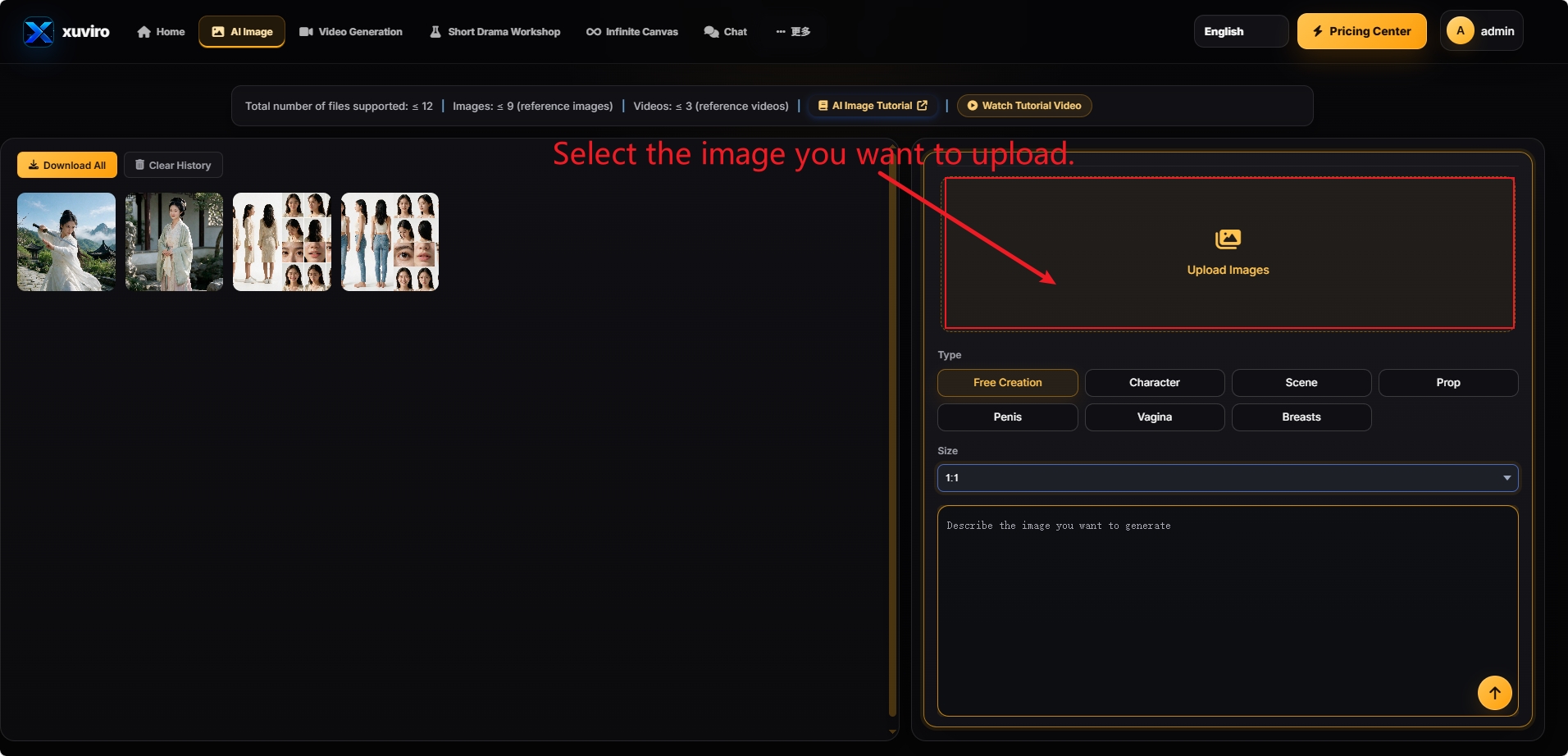
Confirm that a preview appears after upload.
Up to 12 files: 9 reference images and 3 reference videos.
STEP 02 / 05
Select the image type
Choose the category that best matches the main subject.
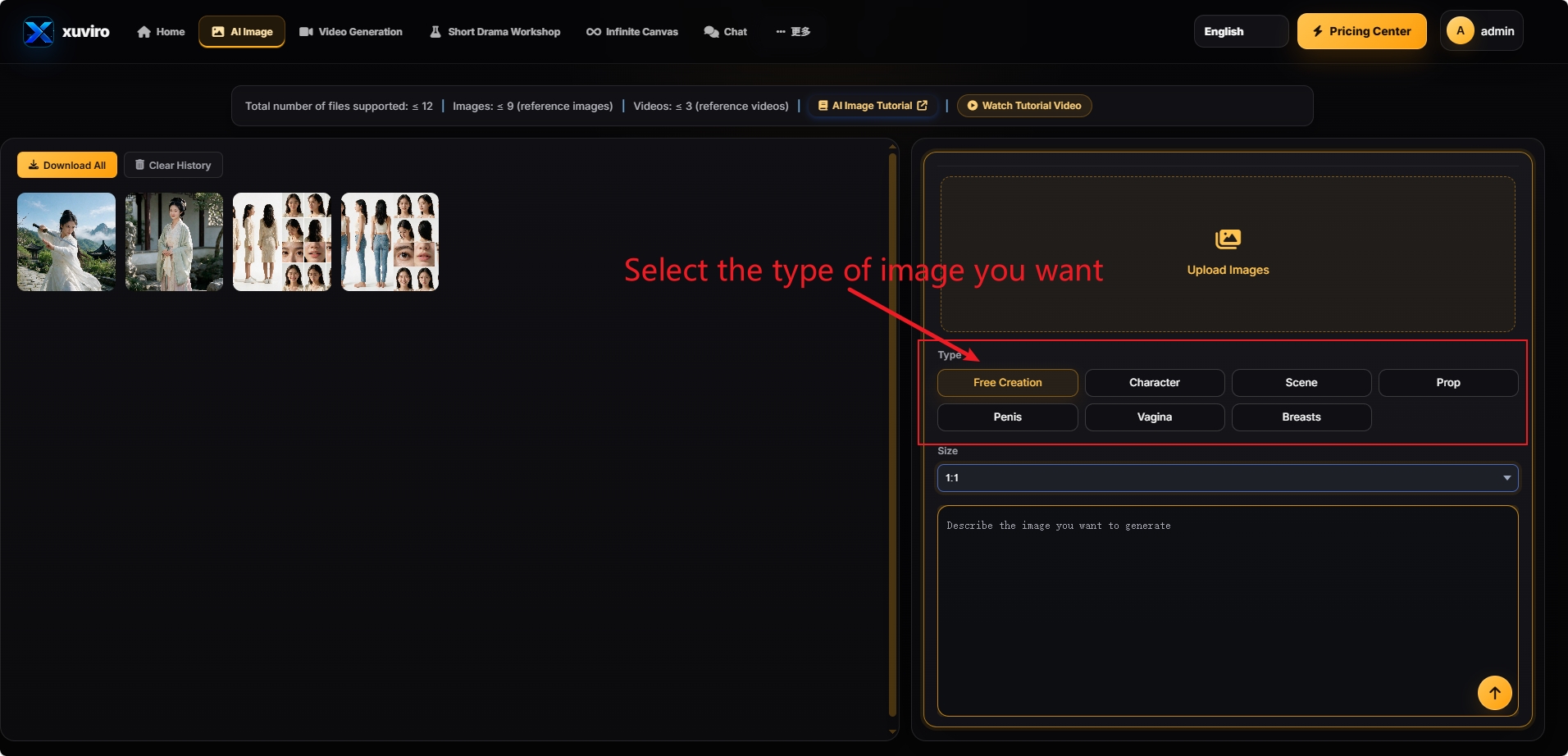
Use Character, Scene, Prop, or another matching category.
Start with Free Creation and confirm the active option is highlighted.
STEP 03 / 05
Choose the image size
Select an aspect ratio for the final destination.
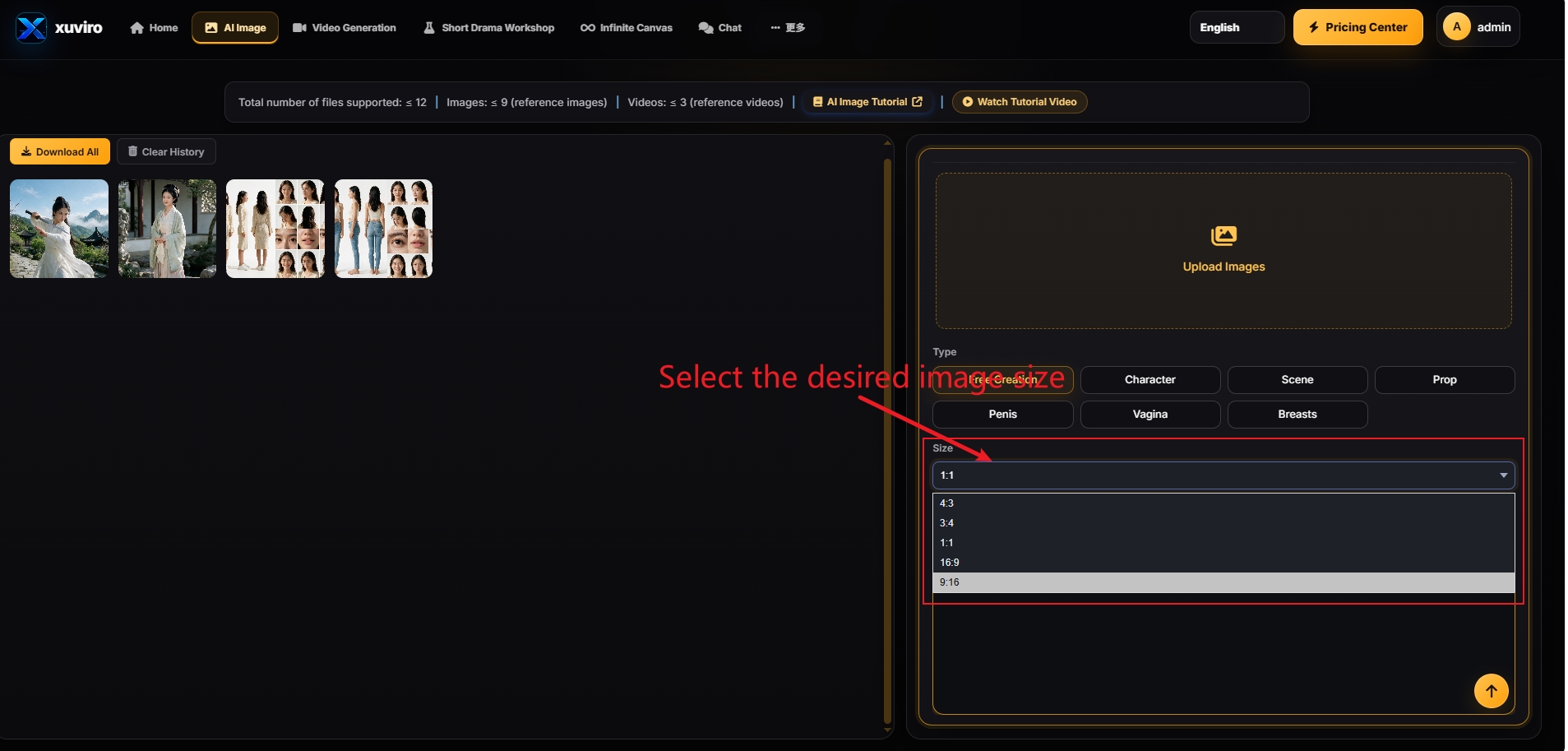
16:9 or 4:3 landscape · 9:16 or 3:4 portrait · 1:1 square.
If the subject is cropped, switch to a more suitable ratio.
STEP 04 / 05
Describe the image you want
Include the subject, setting, composition, lighting, style, and key details.
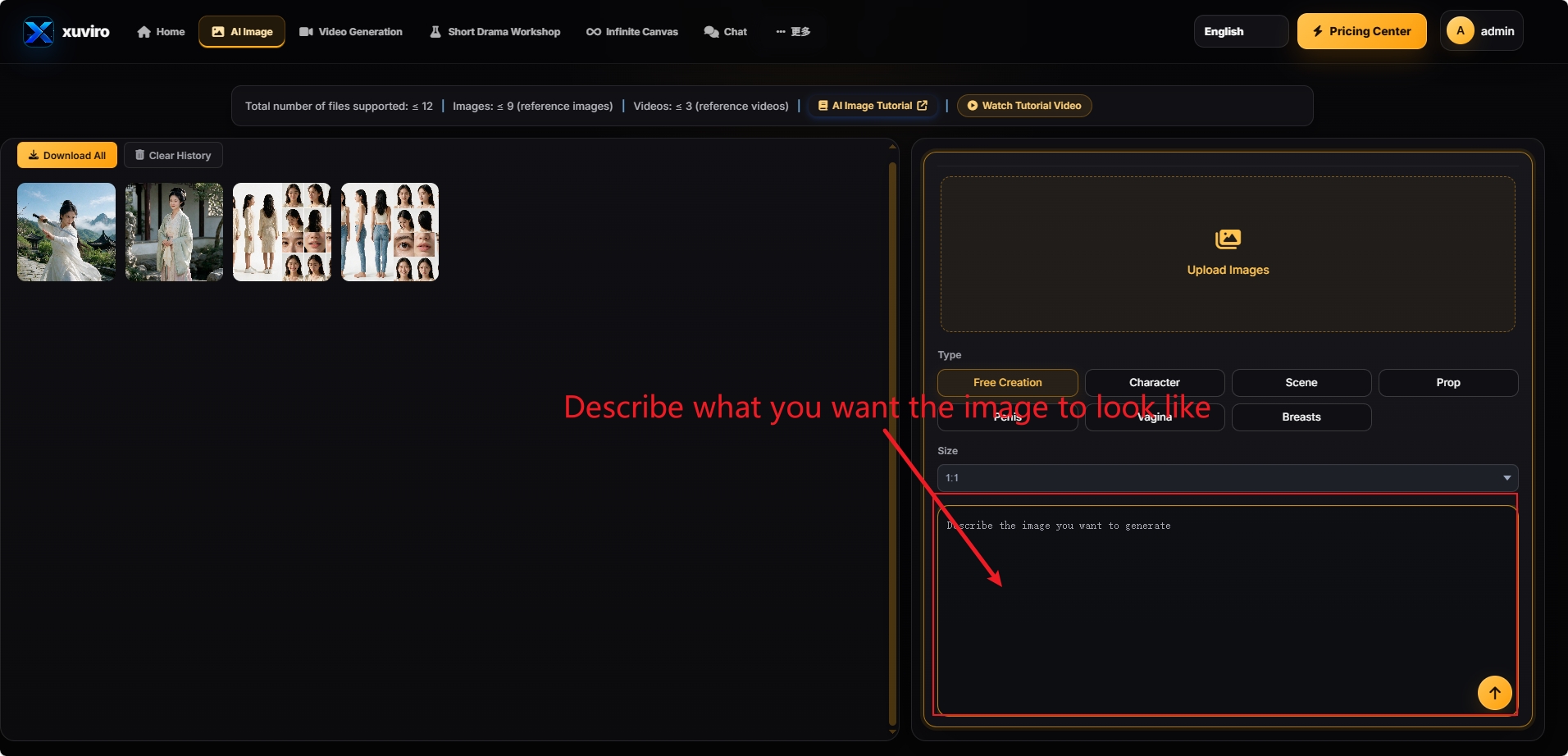
Subject + setting + pose/action + composition + lighting + style + details.
A woman in a white dress in a mountain courtyard, soft morning light, realistic photography.
STEP 05 / 05
Submit and generate
Review the settings, then click the orange up-arrow in the description box.
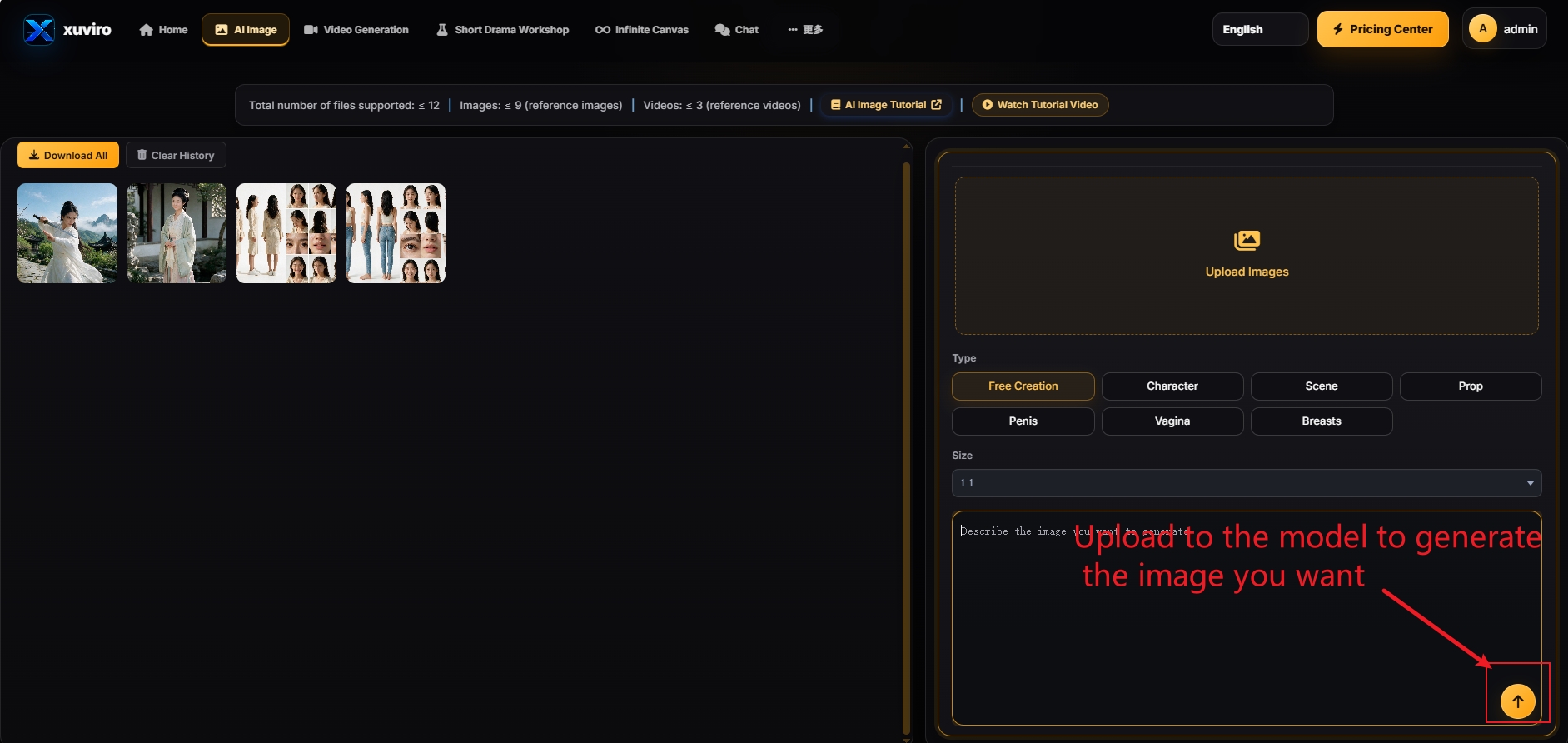
Use the orange up-arrow, not Upload Images at the top.
Keep the page open while processing, then use Download All to save the images.
FINAL CHECK